Compare with 1 courses
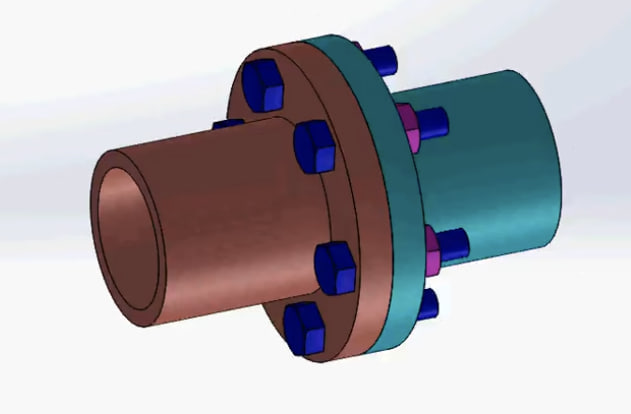
Solidworks flange coupling part design and assembly tutorial

Solidworks flange coupling part design and assembly tutorial

This tutorial explains how to design and assemble a flange coupling using SolidWorks. It demonstrates the step-by-step process of creating individual parts such as the flange, shaft, key, and bolts using basic modeling tools like extrude, revolve, hole wizard, and circular pattern. After designing the parts, the tutorial shows how to combine them in the assembly environment using mates and constraints to correctly align the components. The tutorial helps beginners understand mechanical part modeling, parametric design, and assembly techniques in SolidWorks.

Has discount
Expiry period Lifetime
Made in English
Last updated at Sat Apr 2026
Level
Beginner
Total lectures 0
Total quizzes 0
Total duration 0 Hours
Total enrolment 0
Number of reviews 0
Avg rating
Short description This tutorial explains how to design and assemble a flange coupling using SolidWorks. It demonstrates the step-by-step process of creating individual parts such as the flange, shaft, key, and bolts using basic modeling tools like extrude, revolve, hole wizard, and circular pattern. After designing the parts, the tutorial shows how to combine them in the assembly environment using mates and constraints to correctly align the components. The tutorial helps beginners understand mechanical part modeling, parametric design, and assembly techniques in SolidWorks.
Outcomes
  • After completing this course, students will be able to design flange coupling parts in SolidWorks, use basic tools such as Extrude, Revolve, and Hole Wizard, create mechanical parts with correct dimensions, assemble multiple parts using assembly mates, and understand the workflow of mechanical CAD design and assembly.
Requirements
  • This course requires basic computer skills, a computer capable of running SolidWorks, and SolidWorks installed on your system. A basic understanding of mechanical parts is helpful but not required.